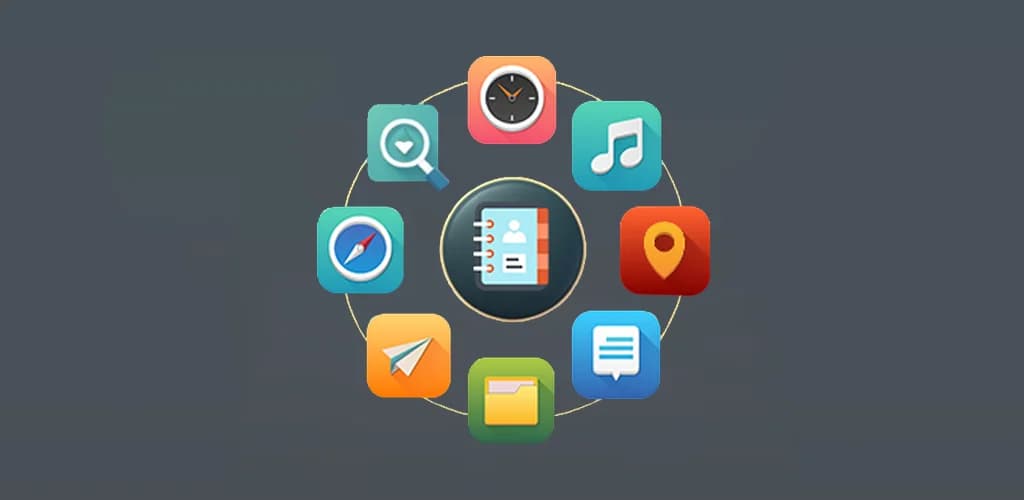
Multi Smart Tools: All in One
All-in-One Utility Solution
Explore MoreAbout This Project
Multi Smart Tools: All in One was developed by a tech company looking to create a single app that could replace multiple standalone utility apps. Their goal was to design a highly functional and versatile mobile app that could serve as an all-encompassing tool for everyday tasks, providing users with seamless access to essential utilities.
Key Features
Wide Range of Tools
Comprehensive collection of utility tools including GPS navigation, document scanning, and more, all in one app.
Intuitive User Interface
Clean, user-friendly interface that offers easy access to a variety of tools without overwhelming the user.
Cross-Platform Compatibility
Seamless functionality across both iOS and Android devices with consistent performance.
Performance Optimized
Efficient coding practices ensure smooth operation on both high-end and entry-level devices.
Multi-Language Support
Global reach with support for multiple languages, catering to users from various regions.
Client Overview
Multi Smart Tools: All in One was developed by a tech company looking to create a single app that could replace multiple standalone utility apps. Their goal was to design a highly functional and versatile mobile app that could serve as an all-encompassing tool for everyday tasks, providing users with seamless access to essential utilities.
Challenges
Wide Range of Features
Incorporating multiple tools within one app while ensuring each tool works efficiently and reliably was a significant challenge.
User Interface (UI) Design
Balancing simplicity with functionality, ensuring that all tools were easy to access and use without overwhelming the user.
Optimizing Performance
Ensuring the app performed well on a wide range of devices, including both high-end and budget smartphones.
Cross-Platform Compatibility
Developing the app to work seamlessly across different operating systems, including iOS and Android, while maintaining consistent functionality.
Our Approach
Tool Selection & Prioritization
We worked with the client to identify the most commonly used utility tools and features that would add value to users' daily lives. We then focused on building the app around these essential features.
Intuitive User Interface
Our design team focused on creating a clean, user-friendly interface that offered easy access to a variety of tools without overwhelming the user. We ensured that users could quickly navigate between different tools.
Cross-Platform Development
We used a hybrid development approach to ensure the app functioned seamlessly across both iOS and Android devices, optimizing performance for a wide range of screen sizes and resolutions.
Performance Optimization
We implemented efficient coding practices and reduced the app's footprint to ensure it worked smoothly on both high-end and entry-level devices. Each tool was optimized to perform tasks quickly and reliably.
Testing & Iteration
Extensive testing was conducted on both platforms to identify potential issues and ensure that the app remained stable and fast. We made adjustments based on feedback from beta users to improve the user experience.
Outcome
The Multi Smart Tools: All in One app received positive feedback for its versatility, ease of use, and comprehensive feature set. It quickly became popular among users who were looking for a single app to meet all of their everyday utility needs. The app's high functionality, coupled with its simple and intuitive interface, made it a standout tool in the utility app category.
Key Results
High User Engagement
The app saw a strong adoption rate, with users regularly utilizing a wide range of features, from GPS navigation to document scanning.
Positive Reviews
Users praised the app for being an all-in-one solution that replaced several individual tools, simplifying their phone experience. The app was rated highly for its reliability and ease of use.
Increased Productivity
Many users reported that the app helped them be more productive by consolidating essential tools in one place, eliminating the need to juggle multiple apps.
Global Reach
With multi-language support, the app reached a diverse global audience, catering to users from various regions and backgrounds.
Future Plans
New Tools & Features
Introducing more utilities, such as a currency converter, unit converter, weather tracker, and more, to increase the app's value for users.
Enhanced Customization
Adding more customization options, such as themes and personalized tool configurations, to allow users to tailor the app to their needs.
Cloud Syncing
Enabling cloud syncing for certain tools (like notes and document scanning) to provide users with seamless access across multiple devices.
User Feedback Integration
Continuously improving the app based on user feedback, adding new features and improving existing ones for a better user experience.